







How a league gives every team its own space
One group, one code per team, tiers by division, rules as resources, deadlines as events, and the insurer, hotels and equipment maker as partners that pay for it.

One code per team, handed to the team manager, and you are done. That is the shortest description of a league app for every team: the league creates the space, the manager fills it, the players open it from their AthleteCard, and nobody in the league office answers "where is the schedule" ever again.
The problem every league office knows
A league with 24 teams has 24 team managers, 24 group chats, 24 versions of the rulebook floating around, and one email address that receives all of it. The insurance form goes out in September and comes back in November. The tournament hotel block closes and half the teams booked elsewhere. The rulebook changed in the off-season and three coaches are still using last year's PDF.
Email does not fix this. League emails get forwarded to the manager, who forwards to parents, and by the third hop nobody knows what is current. Team managers do not have time to look for things. They need one place, and they need it to feel like theirs.
One group, one code per team
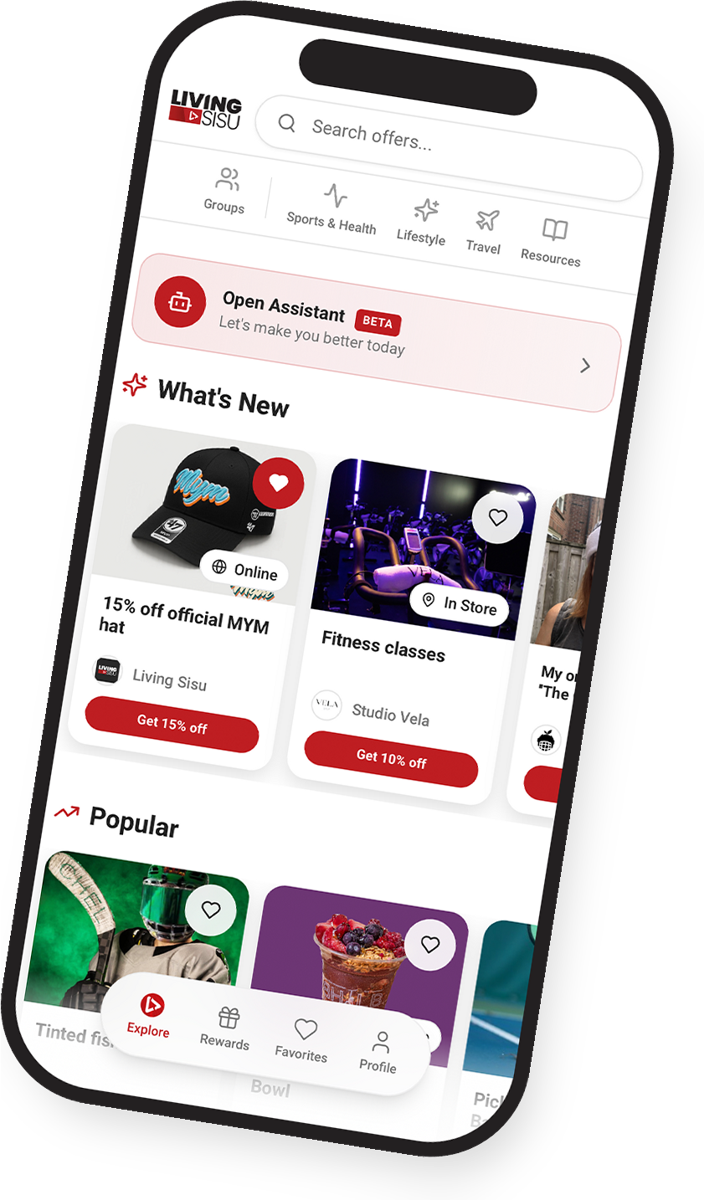
Here is how it works in the Living Sisu app. The league opens its group on my.livingsisu.com. Then, for each team or division, it creates a member tier: U11 AA, U13 BB, Senior women, Junior men, whatever the structure is. Each tier gets its own content visibility. The league hands each team manager the group code and tells them which tier they are in.
The manager shares the code with players and parents, or prints the QR and tapes it to the dressing room door. Everyone who scans lands in the league group, sorted into their team. The league sees a member count per tier, and the team manager sees an app that looks like it was built for his team.
Tiers by division or by age group
Tiers do two jobs. First, they decide who sees what. The U9 parents do not need the Junior fighting rules, and the Senior women's teams do not need the Timbits schedule. Second, they make the league legible: on the dashboard you see 180 members in U11, 210 in U13, 95 in Senior women, and you know exactly which division is not sharing the code.
Common ways to set tiers:
- By division: AA, BB, C, recreational
- By age group: U9, U11, U13, U15, U18, Senior
- By role: players, parents, coaches, officials, team managers
- By team, if the league is small enough that 12 tiers stay manageable
Tiers and unlimited admins are on the Pro plan. Federations with dozens of teams and several regions get a custom plan, with the structure built for the way they are actually organized.
Rules and forms as resources
Put the rulebook, the code of conduct, the medical form, the waiver, the travel policy and the equipment standards in Resources, as PDFs or plain text. When the rulebook changes, you replace one file and every team sees the new one. No more "which version do you have". Attach the officials' handbook to the officials tier and the junior rules to the junior tiers.
A league of 24 teams can easily have 15 documents that matter. On Pro, resources are unlimited. On Free you get 5, which is enough for a small house league to test the idea before the season.
Give managers a delegated seat
The league does not have to do all the typing. Administrators get access with permissions chosen one by one: a division convenor can post events for U13 only, the registrar can update resources, the treasurer can see stats and nothing else. Team managers stay members in their tier, and the league keeps the keys.
Deadlines as events
The dates that cost money when missed are the ones that belong in Events: registration closes, insurance forms due, roster freeze, tournament hotel block closes, playoff seeding meeting, awards banquet. Each event has a date, a time, a place, a GPS map, a price if there is one and a registration button. Members see the next deadline on their card next to the schedule link. The league sees who registered.
Picture a regional league with five deadlines in Events for the season, each attached to the right tiers. The roster freeze reminder alone saves the registrar a week of phone calls, because the managers see the date in the same app they open for the schedule.
Useful links: the five things everyone asks for
Every league has the same five links requested 200 times a season: the schedule site, the standings, the ticketing page, the league store, the stats provider. Put them in Useful links. On Free you get 2, on Premium 12, on Pro unlimited. The moment those links are in the app, the "can you send me the link" emails stop.
Insurers, tournament hotels and equipment makers as partners
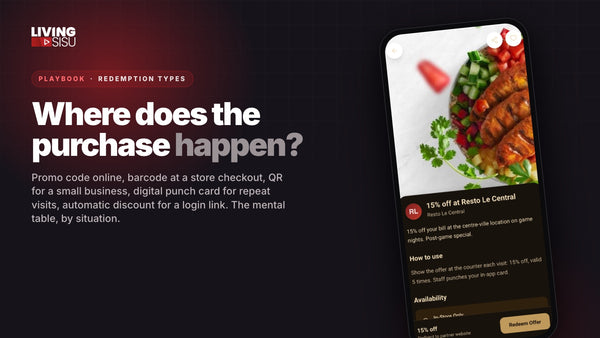
This is where the league space pays for itself. The league already sends business to a handful of companies: the insurance broker every team must use, the hotels that host the tournament weekend, the equipment supplier that outfits the referees, the bus company. Right now those companies get the business and give nothing back to the teams.
Enter them as partners with a members-only offer and a commission to the league. The math on 1,500 members across 24 teams:
- Tournament hotel: 300 room-nights at $150 through the members-only rate, 10% commission = $4,500
- Equipment supplier: 20% of members buy $100 over the season, 20% commission = $6,000
- Insurer or physio network: a member rate plus a referral commission per new policy or first visit
Those are league-level partners. Teams can also add their own local ones (the post-game restaurant, the local garage) inside their tier, so the U13 parents in one town see their pizza place and not the one 80 km away. Members never pay to be in the group; the partners' commissions are what carries the plan.
Announcements that actually get read
On Pro, the chat gives you discussion rooms per tier and an announcement room where only the league writes. Post the storm cancellation there, the schedule change, the reminder that the hotel block closes Friday, and drop the hotel offer straight into the message. Members open the app because the schedule is there; the announcement is one tap away. Compare that with a league email most people never open.
The dashboard shows it: opens per day, most-viewed content, where members came from (QR at the rink, code from the manager, link on the website, email invite), and which share link brought which team in.
FAQ
Does each team need its own account or plan?
No. The league holds one group and one plan. Teams are tiers inside it. Team managers get the code and, if the league wants, a delegated admin seat with limited permissions.
Can the league see who the members are?
The league sees counts, opens and redemptions, never a member's last name, email or photo, on any plan. That is a feature: parents join without worrying about their data.
What if the league downgrades after the season?
Nothing is deleted. Extra content is archived, the printed QR codes keep working, and everything comes back when the new season starts.
Create your group
Open your league's group at my.livingsisu.com, create one tier per division, upload the rulebook and hand the code to your team managers. Federations: ask for the custom plan and the structure gets built with you.